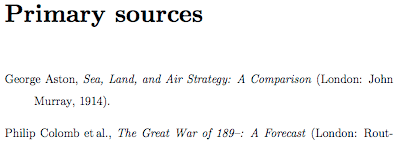

As befits a self-respecting Unix geek, I've pretty much finally decided that I will write my thesis in LaTeX, and not in Word (which is what I have been using for the last few years). I am a bit nervous about this. Most historians, I'm sure, have never heard of it, and indeed the typical LaTeX user would be working in the sciences (which is where I first learned to use it, many moons ago; among other things, it's great for equations). There's not a lot of support for using LaTeX in the humanities.1 The Astrophysical Journal may prefer papers to be submitted in LaTeX format, but the Journal of British Studies probably wouldn't have any idea as to what to do with such a beast.2 Since none of my colleagues will know how to use LaTeX, it's next to useless for any collaborative work. But all that is get-around-able, because I can switch back to Word if need be. The big problem, though, is bibliographical management. EndNote can't work with LaTeX in the same way as it does with Word. That means I either enter and format all citations by hand (urk), or use BibTeX-oriented software. Which is fine ... except if I ever decide I want to go back to Word/EndNote, either temporarily or permanently, then my bibliography will be in BibTeX, which of course Word can't handle. It is possible to convert from EndNote to BibTeX and vice versa, in theory, but in my experience this isn't very unreliable. EndNote can export directly to BibTeX, but the resulting file isn't readable; I had better luck exporting to RefMan (RIS) format instead. Unfortunately, for some reason this abbreviates authors' first names to just their initial, so I will have to key those in by hand.
So much for the pain. What's the pleasure? Well, for one thing, the result looks so much better than Word. It is very easy to produce a beautiful document in LaTeX. It's the kerning ... the justification ... it's just the vibe. More importantly, LaTeX separates form from content. When writing in Word, I find that I get hung up on how the thing looks, and distracted by trying to massage its appearance. In LaTeX, you just write, and worry about that stuff later. And when producing large and complex documents (like a PhD thesis!), LaTeX comes into its own: when you do need it, you have the power to specify exactly where to place that table on the page - whereas Word will put it wherever it thinks best and you have little say in the matter. In fact, LaTeX can be (and is) used to typeset entire books. The other main advantage as I see it is that LaTeX files are just plain text files, where Word uses a binary format. Which is stupidly easy to corrupt.3 This is the safest and most portable format around, and it helps that LaTeX is available for Windows, OS X and your various Unices and Unix-work-alikes. (For more comparisons, see here (with pictures!) and here.)
OK, but just what is LaTeX? It's actually not strictly comparable to Word, because it's not a word processor: it's essentially a markup language, like HTML. So for example, in HTML the first sentence in this paragraph would be written like this:
OK, but just what <b>is</b> LaTeX?
In LaTeX, the equivalent is:
OK, but just what \textbf{is} LaTeX?
And so on. Then you run 'latex' on the document in order to produce the output (these days, generally a PDF file) - just as a web brower parses a HTML page. There's a handy cheat sheet here, and a useful collection of installation and usage links here.
Frankly, LaTeX is hard to get the hang of, especially coming from the WYSIWYG world, and typing out the various commands is a bit tedious. But there are tools which make the process a lot easier (and this is the biggest improvement from my days as an astrophysics postgrad, when I used vi exclusively). I'm on OS X, and my favourite LaTeX editor is TeXShop, but there are others. To manage my bibliography, I'm using BibDesk (and for the humanities, the jurabib bibliographic package is a must - specifically the Oxford style, jox.bst, as Chicago support is poor).4 I'm currently going through my ex-EndNote bibliography, fixing up the first names and adding keywords (PRImary/SECondary, OWNed/LIBrary/UNSeen) as I go. This will be a good thing to finish, because I had been deferring adding new entries until I made a decision to go to LaTeX/BibTeX or stick with Word/EndNote, and instead writing them down in little text files here and there, and it was all starting to get away from me!
So is this a good idea? Come back in three years and I'll tell you ...
Update: for some reason, I've re-edited this entry about 10 times since posting it. The most important thing I forgot to mention is that all of the LaTeX/BibTeX tools mentioned above are free - an important consideration for postgrads! LaTeX is open source software, and pretty much all the related tools are too, though I think there are some commercial LaTeX editors.
- Though there are in fact some users in the humanities, as the comments to this Crooked Timber post show.
- Though actually, it seems that most history journals only accept paper manuscripts. How quaint!
- To be fair, this seems to happen much less often than it used to.
- MAKEBST might be another way to go.

This work, unless otherwise expressly stated, is licensed under a Creative Commons Attribution-Noncommercial-Share Alike 3.0 License. Terms and conditions beyond the scope of this license may be available at airminded.org.
Possibly-related posts:
-
One day I will make the Great Open Source Shift, and LaTex will be part of the package. But til then, compatibility issues force me to stick with evil Bill.
Neal Stephenson had a lot to say about this issue in _In the beginning was the command line_ and very funny it is too.
By the way, are you interested in Norweigian airmindedness, or is that just getting silly?
-
I don't think that LaTeX is any more bandwidth-hogging, unsearchable, or internet-unfriendly than Word documents. (And with Google and academic databases providing PDF search and fulltext in PDF, I'm not sure PDF is all that internet-unfriendly anymore, anyway.)
You might check out XeTeX for OSX; it allows you to use native OSX typefaces, and it produces gorgeous output.
-
There are a variety of free WYSIWYG LaTeX editors. The best for Windows is TeXNicCenter (which uses the free MikTeX distribution for Windows), while LyX is the oldest. I make my TeX documents with vim (www.vim.org) because I need a powerful text editor (see the 7 habits of effective text editing at http://www.moolenaar.net/habits.html).
As for fonts, it's true that the default Computer Modern Roman fonts are bitmapped and thus jagged at high resolutions, which is why most journals require you to use vector fonts. You can either use the font packages (I use mathptmx for Times Roman + math symbols) or have dvips automatically handle this for you.
Regarding output, TeX produces DVI files by default, which most people then convert to the format of their choice, with Postscript, PDF, and HTML being the most popular choices.
-
Brett,
Thank you, thank you, thank you, thank you! I used LaTeX years ago, but only for scientific writing. But now I'm starting my dissertation in theology (at University of Notre Dame) and want to use LaTeX for it, but I was unhappy with every single style file for BiBTeX I could find. They're mostly for computer science journals, quite understandably of course. Your blog provided the only non-broken link to a humanities-oriented style system I could find. What a fabulous package jurabib is! So from another humanities grad and Linux geek (not many of those), thanks again! And thanks and thanks and thanks. Good luck on your dissertation. -
Writing your own style from scratch? That's crazy talk. I tried to edit the .bst that was available from students at my university and even that was a nightmare. No comments at all, ugh. Anyway, so your post saved me from that fate worse than death. However, the university-specific style file I've found (luckily, it's playing well with jurabib) does allow for multiple bibliographies, although I don't think I'll be using that option for my dissertation. No clear enough distinctions between categories in my sources. Thanks though.
All the best.
-
Wondering if you might be able to help (sorry if this is hideously non-geek and anti-internet-etiquette, can I claim to be a newbie?) - I'm currently writing my thesis in LaTeX, which wasn't a problem, until last week, when I showed my supervisor my bibliography which I'd compiled using Bibdesk and jox.bst, and he says that the last bits aren't right (according to the MHRA). I need my book references, for example, to look like this:
Tom McArthur, \emph{Worlds of Reference: Lexicography, Learning and Language from the Clay Tablet to the Computer} (Cambridge: Cambridge University Press, 1986), p. 59.
ie, with place, publisher and date in parenthesis. This doesn't seem to happen with jox - is there an easy hack I can do? or should I be using a different style file?
Again, apologies for butting into your blog!
Many thanks! -
Ah! I should have kept checking this post, evidently. If Ruth's still reading, I think the documentation indicates that adding the option "pages = format" in that usepackage call will automatically add "p." or "pp." to each reference. Brett, how on earth did your blog become a humanities LaTeX help forum? Did you dream of such an outcome or are you disappointed? Speak right into the microphone, please. Oh, and Ruth, I think asking random people for help is downright geek and internet, actually.
-
Ha, good point there. What's more, it really is positively part of geek culture to want to make the process easier for others. I think it grows out of the cycling frustration and exhilaration of having to figure it out yourself (like the title of your post indicates). Not to mention the not-so-benevolent pleasure of being asked a question you can answer. I wonder if a humanities LaTeX forum would be a useful addition to the net? What do you think?
-
I work at an engineering company that has mostly switched to Word (and Windows), which I have to say is very frustrating, as well as a terrible waste of money. Word has added many LaTeX-like logical formatting features, but they behave unpredictably. I think Word is now harder to understand and control than LateX, and still produces an inferior document. And, of course, for math, there is no comparison.
If (1) the markup doesn't scare you, and (2) you can find an off-the-shelf style file that works, LaTeX will probably be easier to use than Word. Get Lamport's book, or the "Not so Short Introduction". Best of luck to those of you trying.
Also: maybe humanities folk could take up the practice of publishing .bib files on the web, as many technical authors do, to save others lots of typing.
-
If you can't find the right style file for you then check out custom-bib (also called Makebst), which although appearing a bit daunting, was in fact pretty easy to run. I really have little experience in coding etc but it is just a long multiple choice of yes/no clicks (with many defaults for most common choice), then it generates your new .bst ;) If you want you can open it in a text editor and adjust the settings for fine tuning, or simply run it again. It can be found here;
http://www.ctan.org/tex-archive/macros/latex/contrib/custom-bib/
There is a good tutorial on it's use as part of this page;
http://www.andy-roberts.net/misc/latex/latextutorial3.html
The start;
"It should be installed with the Latex distribution (otherwise, you can download it) and it's very simple to initiate. At the command line, type:
latex makebst
Latex will find the relevant file and the questioning process will begin"
Have a go, it's really not too painful and very useful.
-
Just a 'first bash' example which I made with custom-bib. I wanted something roughly in line with BS, author/date, and italic title, .p & .pp and also it supports url's, so I used that field as a quite a few of my references are web based. I even was able to simply text edit and change the default 'URL' style preamble which I felt was ugly;
http://www.planetluna.org/graphics/sample-custom-bib.png
It's not at all polished and for custom use, but it gives some idea of what can be achieved quite easily, especially outside the main spheres of Tex use ;)
-
Help needed by humanities researcher!
I'm using jox and jurabib for my bibliography in LaTex but I need to make three minor changes to jox's standard output.
1. A comma needs to appear after the title of the journal, i.e. \emph{History Today}, 78 (1988) and not \emph{History Today} 78 (1988).
2. For books and collections I need a comma to appear between the publisher and year, i.e. (Cardiff: University of Wales Press, 1988) and not (Cardiff: University of Wales Press 1988).
3. Finally, I would like the editortype to appear in parentheses. So A.N. Other (trans.), rather than A.N. Other trans.,
Any assistance would be greatly appreciated.
Owen
-
Hello, help needed if anyone can...
just starting out with LaTeX and BibDesk on Mac OS X for my PhD. How can I force italics into Titles in BibDesk? My PhD is vertebrate biology so there are lots of latin names involved...cheers
MR
-
I just discovered your blog! Count me as another historian writing a dissertation in Latex. I'm using Kile as a front end to tetex on Ubuntu, jurabib, and JabRef to manage my bibliography. I would definitely be interested in some sort of forum for latex users in the humanities. I'm getting close to the end, so I suspect I'm going to get a chance to work through all of the little tweaks sooner rather than later. If you have any other tips or thoughts that you haven't posted here, I'm all ears.
-Eric
-
I'm a doctorate student in philosophy of science, I too use latex (jurabib, Kubuntu, jabref, just as Eric).
I've just seen your last question Brett, and I'm asking the same : "Why does jurabib choke when an author entry in bibtex has quote-marks to force latex to not split an organisational author into lastname, firstname?"
If you have got any answer to this problem could you advise me ? thanks
N CarbonePS : For italics titles, I put in my preambule :
\usepackage{jurabib}
\jurabibsetup{%
titleformat=italic,%
%
} -
I found this article a couple of years ago when I started using latex. Nice to read it again today!
I think LaTex is great, but it has a problem: if you have a lot of citations, your text may become unreadable. You have one paragraph full of \footnote{and then ten lines of text here} before continuing the sentence you were writing in the first place.
On the other hand, I am not very happy with the editors that I have used, MicTex and TexMaker.
Next year I will be writing my thesis in international law and I think I will try to combine OpenOffice with LaTex. You can write your text in OpenOffice and export it to latex. You have to be careful to make sure that OpenOffice produces a clean markup. Obviously, you may want to change the header, but that is the good thing about LaTex, you can separate form and content.
-
Help! I've just got my head around LaTex, and vaguely trying to use a bibliography. But what are you using to make MHRA? I can't find a version, and the custom way is slightly terrifying!
I need footnotes with page references inside them, rather than sat at the top, and I just can't figure out how.
-
also while I'm at it - have you had any luck with newspapers and bibdesk? They don't seem to work together, never mind archive material.
-
Pingback from Why use LaTeX? « LaTeX for Humans on 8 October 2008 at 8:04 am
-
Hello, just found this blog....
I just want to give some advices to historian and so on based on my experience.
I'm writing a PhD dissertation in history of italian opera with LyX (which is a WYSIWYM Word-like front-end for LaTeX) with BibLaTeX package (as Brett pointed out) which is AWESOME. I'm a happy musicologist, right now.
Try both LyX (version 1.6 is coming out and seems to be much better than actual 1.5.6) and BibLaTeX (fully developing), and spread the LaTeX verb in the humanist world! -
Pingback from Airminded · LaTeX for Humans on 16 October 2008 at 3:17 pm
-
Just found this blog, and am a linguist (student of languages, *not* of linguistics) writing my thesis in LaTeX and having fun with the MHRA style... I'm using jurabib and jmhra.bst I think, but there are some categories which are a *pain*... namely, works that have no editor or publisher (like 17th-C newspapers), theses, and multi-volume works. This is perhaps particularly true as I don't have bibdesk (I'm using pybliographic, since I'm on a Linux system). As I'm nearing hand-in, I'm happy plodding along, and editing the .bbl file when I get there, but thanks for all the references in this - I'll be following some of them up :)
-
Here's yet another humanities student grateful for your post! jurabib is a godsend. i'd previously hacked together a bibstyle from natbib for my uni work but it was pretty lame, jurabib is exactly what i wanted!
also, loving \footcite --- i hate referencing harvard style and this has saved me a long time trying to figure out how to do footnotes with ibid rules etc.
-
I love this post! Even though it looks like it has an ancient history I just got here and learned some great things. I'm also a theology-ish student working on some papers, and I'm really excited about LaTeX's possibilities.

50 comments
Comments feed for this article
Trackback link: http://airminded.org/2005/11/18/latex-the-pain-the-pleasure/trackback/